 Speed Patterns


Masking Slowness With Animation
Some delays are unavoidable. Network round-trips, third-party APIs, expensive computations and view transitions all take time that no amount of optimization can fully eliminate.
When you can't make the wait shorter, you can change how it feels. Animated transitions occupy the user's attention during the unavoidable gap, smoothing the seam between two states and reducing the perception of delay.
The Problem
When a user clicks a button or follows a link, they expect immediate feedback. If the next state appears abruptly after a noticeable pause, the experience feels broken: the user is left wondering if the click registered, and may click again or navigate away.
Even when the underlying technical delay is the same, an experience that snaps from one state to another with no transition feels significantly slower than one that gracefully animates between them.
Solution
Without animation the wait reads as an abrupt pause; a short, purposeful transition turns the same delay into smooth arrival.
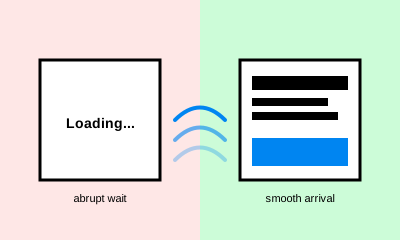
Use motion to bridge the moment between user input and the new state. A short, purposeful animation does several things at once:
- Acknowledges the action — the user sees that their input registered
- Directs attention — the eye follows movement, naturally landing on what comes next
- Hides the delay — work happening behind the scenes (data fetch, layout recalculation, asset load) overlaps with the animation rather than appearing after a blank pause
For example, if a slide-in transition takes 200ms and your data fetch takes 250ms, the perceived delay is only 50ms — and that 50ms feels much shorter when the user just watched something happen.
Guidelines
- Keep animations short. 150–300ms is enough to register without feeling slow on its own. Longer animations defeat the purpose by adding to the perceived wait
- Make the motion meaningful. Animation should reflect the spatial or logical relationship between the old and new state — content sliding from where it was tapped, modals scaling out from a button, lists reordering rather than redrawing
- Don't fake progress. If a real delay extends past the animation, switch to a real progress indicator or skeletal placeholder rather than letting the motion loop awkwardly
- Respect user preferences. Some users find motion uncomfortable or distracting; the system should give them a calmer alternative
Related Patterns
- Skeletal Designs — for waits long enough that motion alone isn't sufficient
- Acknowledge Actions — for the broader principle of immediate feedback to user input
Technical Implementation
- CSS transitions and animations are usually all that's needed. They run on the compositor, don't block the main thread, and are easy to cancel if the underlying work finishes early
- View Transitions API lets a single state change animate across the whole page (or a region of it), making cross-route or cross-view transitions feel native
- Honor
prefers-reduced-motion— wrap motion-heavy rules in@media (prefers-reduced-motion: no-preference)(or set short, non-translating fallbacks underprefers-reduced-motion: reduce) for users who experience motion sickness or simply prefer a calmer interface - Profile on a slow device. A 200ms transition can stretch to 500ms on low-end hardware if the work animating alongside it is heavy — measure on representative devices, not just the developer's laptop